Links: https://github.com/echowve/meshGraphNets_pytorch https://github.com/medav/meshgraphnets-torch https://github.com/SuperkakaSCU/JAX-CPFEM https://github.com/omegaiota/DiffCloth https://docs.nvidia.com/physicsnemo/25.11/physicsnemo/examples/structural_mechanics/deforming_plate/README.html
deepmind: https://github.com/google-deepmind/deepmind-research/tree/master/meshgraphnets
1. Spinning Up in Deep RL: Read Part 1, Ignore the Code
Why: Spinning Up teaches “Online RL” (PPO, DQN) where an agent learns by trial-and-error. You are building an Inverse Transformer (Decision Transformer), which is “Offline RL” (learning from recorded data).
-
Do this: Read Part 1: Key Concepts in RL. You need to understand what a “State”, “Action”, “Reward”, and “Policy” are.
-
Skip this: Do not waste time implementing PPO or DQN. They are notoriously unstable and hard to debug for physics control.
-
Replace with: Read the Decision Transformer paper or the Trajectory Transformer paper. These treat robot control as a “sequence modeling” problem (like GPT), which fits your “Inverse Transformer” idea perfectly.
2. Geometric Deep Learning: The “Mesh” Path
GDL is huge. For Roboforming (metal deformation), you only care about Mesh-based Simulation (Lagrangian dynamics).
The Only GDL Resources You Need:
-
Theory (The Bible): Watch Lecture 9 (Manifolds & Meshes) from the AMMI GDL Course by Michael Bronstein.
- Why: It explains how to run convolution on a 3D surface (manifold) rather than a 2D image.
-
Code (The Library): Use PyTorch Geometric (PyG).
- Why: It is the standard. Do not use DGL or pure TensorFlow unless you have to. PyG has specific “Mesh” data loaders.
-
The Specific Architecture: MeshGraphNet (by DeepMind).
-
Context: This is the industry standard for simulating complex physics like cloth, wind, and deforming plates.
-
Action: There are open-source PyTorch implementations of MeshGraphNet. Clone one and try to make it bend a simple 2D grid.
-
3. Your “Roboforming” Curriculum (Step-by-Step)
If I were building this in India for a grant prototype, I would follow this exact order to avoid “tutorial hell”:
Month 1: The Simulator (The “Engine”)
You cannot train an AI to control the robot until you have a simulator that can predict what the metal will do.
-
Download a MeshGraphNet implementation (PyTorch Geometric version).
-
Generate Data: Use a simple script (MATLAB or Python) to generate 100 variations of a “Sheet” deforming into a “Cone” (just the mesh nodes moving).
-
Train: Train the MeshGraphNet to predict Node Position at Time T+1 given Node Position at Time T.
-
Result: You now have a neural network that “knows” physics.
Month 2: The Inverse Policy (The “Brain”)
Now you use the Karpathy “Zero to Hero” knowledge.
-
Build a simple Transformer (minGPT from Karpathy).
-
Input: The final Target Mesh you want to achieve.
-
Output: The Sequence of Tool Coordinates .
-
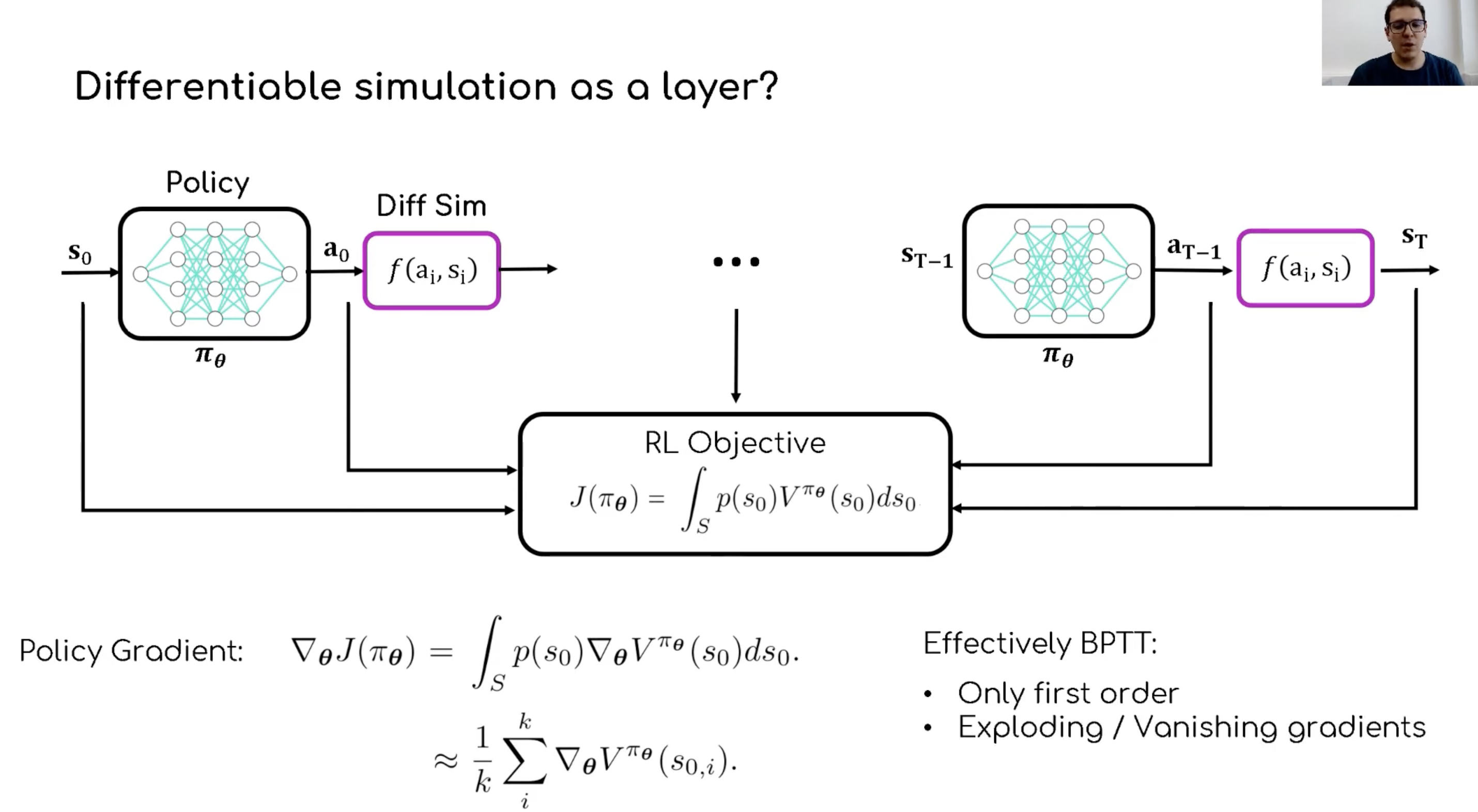
The Trick: When you train this, you feed the output (Tool Coordinates) into your Frozen Simulator (from Month 1). This calculates the “loss” (error) completely partially in the GPU, allowing you to backpropagate through the physics.
Summary
-
Karpathy: Yes, essential for the Transformer part.
-
Spinning Up: Read the concepts, ignore the code.
-
GDL: Focus exclusively on MeshGraphNets and PyTorch Geometric.